Edit Photos in Your Browser — Nothing Gets Uploaded
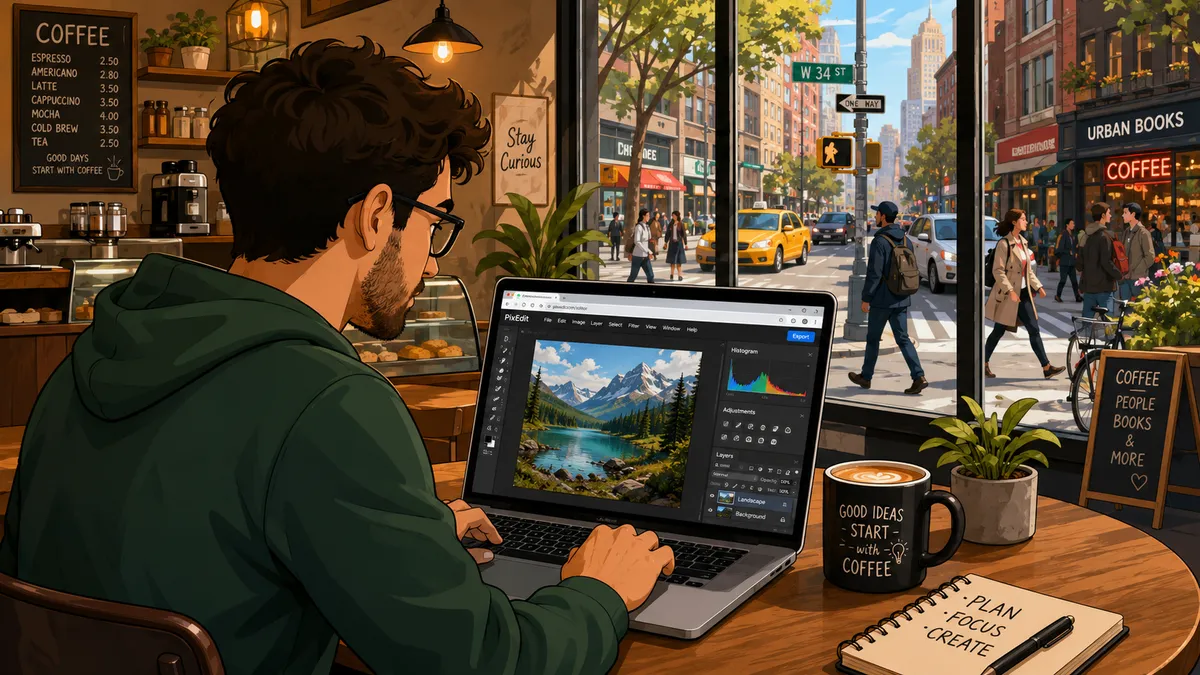
Most online photo editors ask you to upload your image first. That always struck me as backwards. You hand a private photo to a server you've never seen, trust that it gets deleted afterwards, and hope the free tier doesn't come with a catch buried in the terms. So I built something that works the other way round.
Photo Editor by MatsSjodin.com is a full image editor that runs entirely in your browser. No sign-up, no install, completely free. The part I care about most is this: your images and edits never leave your device. Nothing is uploaded, there's no account, and all the processing happens locally on your own machine. You can open it, load a photo, do real work, and close the tab — and that photo was never anywhere but your computer.
If that's the kind of tool you've been quietly wishing for, here's the link: photoeditor.matssjodin.com. The rest of this post explains what it does and, more importantly, asks you to try it and tell me where it falls short.
Why I built it
This is a solo side project I built and host myself. There's no company behind it, no funding round, no roadmap drawn up in a meeting. It started as a tool I wanted for my own use and grew into something I figured other people might find handy too.
Because it's just me, I made a few deliberate choices early on. The biggest was keeping everything local. It's simpler to reason about, it's genuinely private, and it means I'm not paying to store or shuttle anyone's files around. You get a real editor; I don't get your photos. That trade felt right, and the more I used it, the more right it felt.
It also keeps the tool honest about what it is. I'm not trying to out-feature the big paid suites or pretend this does everything they do. It does a lot, it's free, and it's getting better — and I'd rather tell you that plainly than wrap it in language that promises more than it delivers.
And since I'm being open about how it works, I've gone a step further: the whole thing is open source under the Apache-2.0 licence. The code lives on GitHub at github.com/matssjodin/Photoeditor-by-MatsSjodin.com. You're welcome to read it, see exactly how the local-only editing works, fork it, or open an issue. If you'd rather report a bug or suggest a feature there than email me, that's completely fine — I'll take feedback wherever it lands.
Try this in 60 seconds
The fastest way to understand the editor is to use it, so here's a tiny task that touches the core of what it can do. Give it a minute on a laptop or desktop:
- Open photoeditor.matssjodin.com in your browser.
- Drop in an image — drag a file onto the canvas, or use the open option to pick one from your computer.
- Make a selection. Grab the magic wand and click on a background or a single-coloured area; it selects the similar pixels for you. Too much or too little caught? Nudge the tolerance and click again.
- Apply one adjustment. Open the adjustments and pull the saturation or brightness slider. The change previews live, and because adjustments are non-destructive, you can keep tweaking before you commit to anything.
- Export. Save the result as a PNG, JPEG, or WebP.
That's the whole loop: open, select, adjust, export. If you got through it without getting stuck, you've seen the bones of the editor and you know whether it fits the way you work. And if you did get stuck somewhere, that's exactly the kind of thing I want to hear about — more on that further down.
What it actually does
I'll keep this to the tools you're most likely to reach for, and I'll frame them by what they let you do rather than dumping a full inventory on you.
Work in layers, like a proper editor. You get raster and text layers that you can reorder, duplicate, lock, hide, or delete. Each layer carries its own opacity and blend mode, so you can stack edits, combine images, and back out of a decision without flattening everything into one irreversible mess. If you've used a desktop editor before, this will feel familiar; if you haven't, it's the single feature that makes serious edits possible without fear.
Select exactly what you mean. There's a rectangular marquee for quick boxes, a freehand lasso for drawing around an awkward shape by hand, and the magic wand with adjustable tolerance for grabbing areas of similar colour. You can add to, subtract from, or replace a selection as you go, and feathering softens the edges so a mask doesn't look like it was cut out with scissors. Painting and filling both respect the active selection, so your edits land where you put them and nowhere else.
Adjust without committing too early. Brightness, contrast, saturation, exposure, hue, blur, grayscale, sepia, and invert all preview live. You see the effect on the actual image before you bake it in, which means far less of the undo-redo-undo shuffle that comes with guessing. When you're happy, you apply it; until then, nothing is locked in.
Paint, fill, and add text. There's a brush, an eraser, a paint-bucket fill, and an eyedropper for matching a colour already sitting in your image. The text tool comes with web fonts, so you can drop a caption, a label, or a title straight onto its own layer and move it around freely.
Reshape and reframe. Rotate and flip for when an image comes in the wrong way up, and a crop tool where you drag out the area you want to keep, then press Enter to apply it. You can also start a brand-new image at a custom size, with either a solid or a transparent background — handy when you're building something from scratch rather than editing an existing photo.
Stay quick. Undo and redo are there as you'd expect, most tools have single-key shortcuts so you're not forever hunting through menus, and export covers PNG, JPEG, and WebP for whatever the file is destined for.
None of this needs an account, and none of it sends your image anywhere.
It's a work in progress — and that's where you come in
I'll be straight with you about the rough edges, because hiding them would only waste your time and mine.
First, it's built for desktops and laptops. If you open it on a small phone screen, you'll get a notice asking you to switch to a bigger screen. The kind of precise, pointer-driven work this editor is made for simply doesn't fit a phone well yet, and I'd rather tell you that up front than have you fight a cramped interface.
Second, it's provided free and as is. I'm actively improving it, which is the polite way of saying you may run into things that don't behave the way you'd expect. That's not a disclaimer to skim past — it's the honest state of a one-person project, and it's the whole reason your feedback matters so much.
So here's my actual ask. If you try it, tell me:
- Anything that broke. A tool that didn't do what you expected, an export that came out wrong, a step that threw an error. Tell me what you did and what happened.
- A tool or feature you went looking for and couldn't find. Gaps are easy for me to miss, because I already know where everything is and what's simply not there yet.
- Anything confusing. If a control wasn't obvious, a label didn't make sense, or you couldn't work out how to do something that should be simple, that's a UI problem worth fixing.
- What you'd actually use it for. Knowing the real task you brought to the editor helps me prioritise far better than guessing in the dark ever could.
Specific beats general every time. "The crop tool didn't apply when I pressed Enter on a rotated image" tells me ten times more than "crop is buggy." If you can describe the steps, even roughly, that's gold.
Give it a go
That's the pitch, and it's a simple one. Open the editor, try a real task — edit a photo you actually need edited, not a throwaway — and see whether it holds up under something that matters to you.
Try it here: photoeditor.matssjodin.com
Browse or fork the code: github.com/matssjodin/Photoeditor-by-MatsSjodin.com (Apache-2.0)
Send feedback here: matssjodin.com/contact
I read what comes in, and the things people report genuinely shape what I work on next. If you spend five minutes with it and send me one honest note about what worked and what didn't, you'll have done more for the project than any amount of marketing could. Thanks for taking a look.